Mirror Link Car Display
Vidmark Inc.Libraries & Demo
3.917.00 Reviews
- Version
- 1.2
- Installs
- 100.00K
- Age Rating
- Everyone
Screenshots
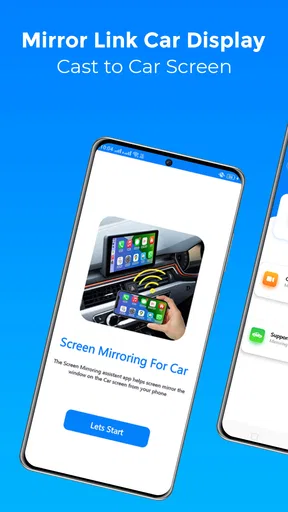
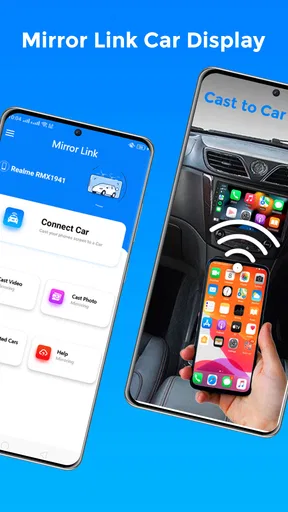
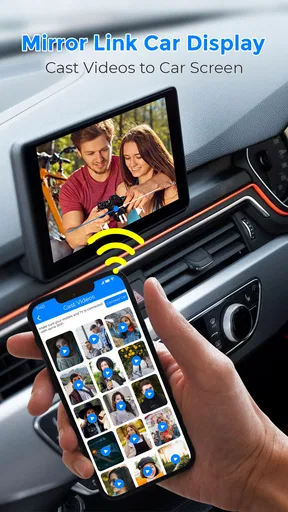
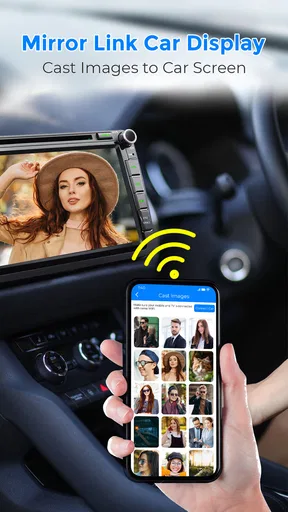
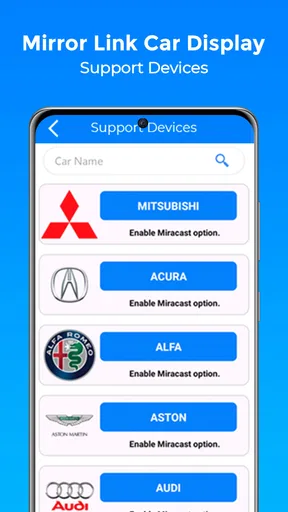
Our Review of Mirror Link Car Display
 Analysis by Appyee
Have you ever found yourself fumbling with your phone while trying to navigate on a road trip? Let me tell you, I’ve been there, and it’s not fun. Thankfully, there’s an app called Mirror Link Car Display that promises to make this experience a whole lot smoother. I decided to dive in and see if it really lives up to the hype. Spoiler alert: it does, mostly.
What matters most with a screen-mirroring app is not how many things it appears to put within reach, but whether the connection fits your car and your routine. I would treat this as a way to bring a compatible phone display onto a dashboard, not as a replacement for a car’s built-in system. That distinction sets sensible expectations: a mirror can make familiar phone content easier to see, but the experience still depends on the phone, vehicle, connection, and the apps you choose to use.
Before relying on it for a trip, I’d try the setup while parked and check what your specific car actually supports. A USB connection that works with one vehicle does not guarantee the same behavior in another, and an adapter cannot turn every older infotainment system into a compatible display. This quick check is more useful than assuming that any screen in a car can mirror any phone.
Seamless Integration with Your Car
The first thing that struck me about Mirror Link Car Display is how seamlessly it integrates with a car’s existing infotainment system. Once you have it set up, your phone’s display is mirrored directly onto your car’s screen. This means you can access your apps without ever having to pick up your phone. It’s a lot like having your smartphone transformed into a fully functional dashboard assistant.
Setting up the app was a breeze. I connected my phone via USB to my car, and voila, I was good to go. The interface is intuitive, and everything is neatly organized. From music to navigation, it’s all right there at your fingertips—or rather, at your steering wheel’s controls.
That easy first connection is the best-case starting point, not a promise that every later start will be identical. For a dependable routine, I’d plug in before setting off, wait until the car recognizes the display, and choose the destination or playlist while parked. If something does not appear as expected, reconnecting before driving is a safer and less frustrating troubleshooting step than trying to fix it at a junction.
Navigation Made Easy
Let’s talk navigation, because this is where the app really shines. Whether you’re a Google Maps fan or prefer Waze, Mirror Link Car Display supports a variety of navigation apps. The maps are clear and easy to read, even in bright sunlight, which is a huge plus. The real-time traffic updates are accurate, helping you dodge those pesky traffic jams.
One of my favorite features is the voice command functionality. You can simply ask your car to take you to the nearest coffee shop, and it responds without a hitch. It’s like having your own personal co-pilot, minus the chatty small talk.
For a practical test, I’d use the screen for route guidance but keep the phone’s own navigation settings and destination ready before leaving. On an unfamiliar drive, that reduces the temptation to tap around when the road gets busy. If voice control is not responding through your particular setup, I would not treat that as a reason to interact with the phone while moving; pull over safely and sort out the route instead.
Entertainment Options Galore
Road trips can get a bit dull, but with this app, you’re never short on entertainment. You can stream your favorite playlists or podcasts directly through your car’s speakers. The audio quality is crisp, and switching between tracks is a breeze. It supports popular streaming services like Spotify and Apple Music, so you’re covered no matter what you’re into.
For those who love audiobooks, you can even dive into a good read while you drive. Just make sure to stay focused on the road! It’s great for long drives where you need something more engaging than just the radio.
I find the strongest use case here is setting up audio before departure and then letting it run, rather than treating the dashboard as a place to browse. A podcast or audiobook can make a long stretch less monotonous, while frequent searching and playlist changes create exactly the distraction the screen is supposed to reduce. If you share driving duties, it also helps to agree on the queue while parked instead of handing over phone-control decisions mid-trip.
User-Friendly Interface
One of the things I appreciate most about Mirror Link Car Display is its user-friendly interface. Everything is laid out in a way that’s easy to understand, even if you’re not tech-savvy. The buttons are large and clearly labeled, so you can make selections without taking your eyes off the road for too long.
Customization options are another highlight. You can tailor the dashboard to suit your preferences, rearranging app icons and selecting your favorite widgets for quick access. It’s all about creating a driving experience that’s truly yours.
A useful small adjustment is to put only the items you genuinely need during a drive where they are easiest to reach. That might mean prioritizing directions and audio rather than filling the view with choices. The trade-off is simple: more visible options can feel convenient while parked, but fewer choices make the driving display easier to scan quickly.
Things to Keep in Mind
Now, it’s not all sunshine and rainbows. There are a couple of things to keep in mind when using this app. For starters, while the app is generally stable, there have been a few instances of lag, especially when switching between apps rapidly. It’s not a deal-breaker, but something to be aware of.
Also, depending on your car model, compatibility might vary. While most modern cars will have no issue, older models might require additional adapters. It’s worth checking the app’s compatibility list before diving in.
Lag matters more when you are asking the display to change tasks repeatedly than when you have already started a route or audio session. I would keep the workflow simple: select what you need, let it settle, and avoid rapid switching while the car is moving. If the connection or screen becomes unreliable, stop somewhere safe before trying a cable change, app restart, or other recovery step. A mirror is useful only when it remains predictable enough to reduce phone handling.
This is also where it differs from common alternatives. A vehicle’s native navigation or media controls may feel more consistent because they are designed as part of that car’s system, while a phone-based mirror can offer access to familiar mobile apps. A dedicated dashboard platform may provide a more tailored car interface, but it may not suit someone who simply wants a phone screen reflected. I’d choose this app when the car and phone work well together and familiarity matters; I’d stick with built-in controls if they already meet my needs or if the connection proves temperamental.
The app is free to install, with in-app purchases listed at $14.99 per item. It comes from Vidmark Inc. and sits in the libraries and demo area, which makes it a somewhat unusual fit for drivers looking specifically for a car-display tool. Its age rating is Everyone, and the current version is 1.2. Those details are useful context, but the deciding question for me would still be whether the vehicle connection works smoothly in the actual car I plan to use.
Who It Suits on an Ordinary Drive
I can see this being most useful for someone who already relies on phone navigation and wants a larger view in a compatible vehicle. Picture a weekday commute through an unfamiliar part of town: before pulling away, you connect the phone, choose the route, and start an audio program. During the drive, the display can keep directions visible while the sound continues through the car, leaving less reason to pick up the handset.
It is less compelling for a driver whose car already offers dependable navigation and music controls, or for someone who rarely needs a phone-based display. It is also a poor fit if your vehicle does not support the connection or if the setup demands repeated troubleshooting. In those cases, using the car’s own interface—or simply setting the phone aside and relying on a simpler navigation arrangement—is the more sensible choice.
For people wondering whether it can be trusted on a longer journey, I’d first do a short local test. Check that the screen appears, the route remains visible, and audio behaves as you expect. That reveals more than a quick glance at the app: it checks the whole chain between phone, cable, vehicle display, and your chosen apps. A brief test drive also gives you a chance to adjust the layout while stationary rather than learning it under pressure.
Performance in Context
As a lightweight idea, screen mirroring sounds straightforward, but perceived speed depends on the complete setup rather than the app alone. A busy phone, an unreliable connection, or a car interface that responds slowly can all make the experience feel less immediate. I would not judge it by how quickly I can jump between several apps; I’d judge it by whether the display starts reliably and stays useful for the single task I need on that trip.
There is a practical resource trade-off too: navigation and audio are already demanding uses of a phone during a drive, so I would avoid adding unnecessary multitasking. Starting with a charged device and closing distractions beforehand is sensible, but it does not guarantee a particular level of speed or stability. The main performance tip is behavioral: prepare first, keep the session focused, and treat interruptions as a reason to pause safely rather than troubleshoot on the move.
The average rating is 3.9 from around 2.7 thousand ratings, and the app has more than 100 thousand installs. I see that as a sign that people have tried it, not as proof that it will pair with every vehicle or deliver the same results for every driver. Its release was on June 24, 2024, and it is listed for operating system version 9 or later. Those requirements can help narrow down whether a device is a reasonable candidate, but car compatibility remains a separate question.
Final Thoughts
All in all, Mirror Link Car Display is a fantastic tool for anyone who spends a lot of time on the road. It brings together the convenience of your smartphone with the safety and functionality required for driving. Whether you’re navigating a new city or just jamming out on your daily commute, this app has got your back.
If you’re tired of juggling your phone while driving, give this app a shot. It makes your driving experience more enjoyable and, let’s face it, a whole lot safer. So go ahead, hit the open road, and let Mirror Link Car Display take the wheel—well, metaphorically speaking, of course!
My recommendation is to approach it as a convenience tool, not something that takes responsibility away from the driver. A larger display can make route information easier to glance at, but it cannot make prolonged attention to a screen safe. Set up the route and entertainment before moving, use voice interaction only when it is genuinely helpful, and keep your attention on the road. With those habits and a compatible car, the app’s central idea can be useful without turning the dashboard into another source of distraction.
Verdict
Strengths of Mirror Link Car Display
- Seamless smartphone integration with car display.
- Supports both Android and iOS devices.
- User-friendly interface for easy navigation.
- Minimizes distractions while driving.
- Compatible with various car models.
Limitations of Mirror Link Car Display
- Limited app compatibility with third-party apps.
- Requires stable internet connection for updates.
- May not support older smartphone models.
- Setup can be complex for non-tech users.
- Occasional lag in mirroring display.
Other Releases by Vidmark Inc.
View All
Hacker: Secret Codes & Ciphers
Libraries & Demo4.0

USB Connector Cast Phone to TV
Libraries & Demo3.6

Update Software App: Updates
Libraries & Demo3.9

Twitter Video Download
Video Players & Editors4.6
Similar Picks in This Category
View All
PGT: GFX, Launcher & Optimizer
Trilokia Inc.4.5

AusweisApp Bund
Governikus Service GmbH3.7

Cardboard
Google LLC3.2

Gamers GLTool with Game Tuner
Trilokia Inc.4.5

Multi Web Chat - Read Secretly
World Scan & Cleaner3.8

App Cloner Premium & Add-ons
App Listo1.9
Frequently Asked Questions
What is Mirror Link Car Display and how does it work?
Mirror Link Car Display is an app that allows you to mirror your smartphone's screen onto your car's infotainment system. It works by connecting your phone to your car via a USB cable or Bluetooth, enabling you to access apps, navigation, music, and more directly from your car's display. This seamless integration enhances convenience and safety while driving.
Is my smartphone compatible with Mirror Link Car Display?
Compatibility depends on your smartphone model and the car's infotainment system. Most modern Android and iOS devices support Mirror Link, but it's essential to check if your car's system is compatible as well. Typically, manufacturers provide a list of supported models in the app's documentation or on their website.
How do I install and set up Mirror Link Car Display?
To install Mirror Link Car Display, download the app from the App Store or Google Play Store. Once installed, connect your phone to the car using a USB cable or Bluetooth. Follow the on-screen instructions to set up the connection. Ensure both your phone and car system are updated to the latest software versions for optimal performance.
What features does Mirror Link Car Display offer?
Mirror Link Car Display offers features like navigation, music streaming, and access to various apps directly from your car's display. Some versions also include voice control, allowing you to make calls and send messages hands-free. The app aims to enhance driver safety and convenience by minimizing smartphone distractions.
Are there any limitations or downsides to using Mirror Link Car Display?
While Mirror Link Car Display offers many benefits, there are some limitations. Not all apps may be supported, and the connection can sometimes be unstable. Additionally, there may be a slight delay in responsiveness. Users should also ensure their device is charged, as mirroring can drain the battery quickly.
